React
Props
#react
We can use a react component as many times as we want, but that’s not very useful in a real world scenario. We might want to use similar element with different data, and that’s where prop comes in.
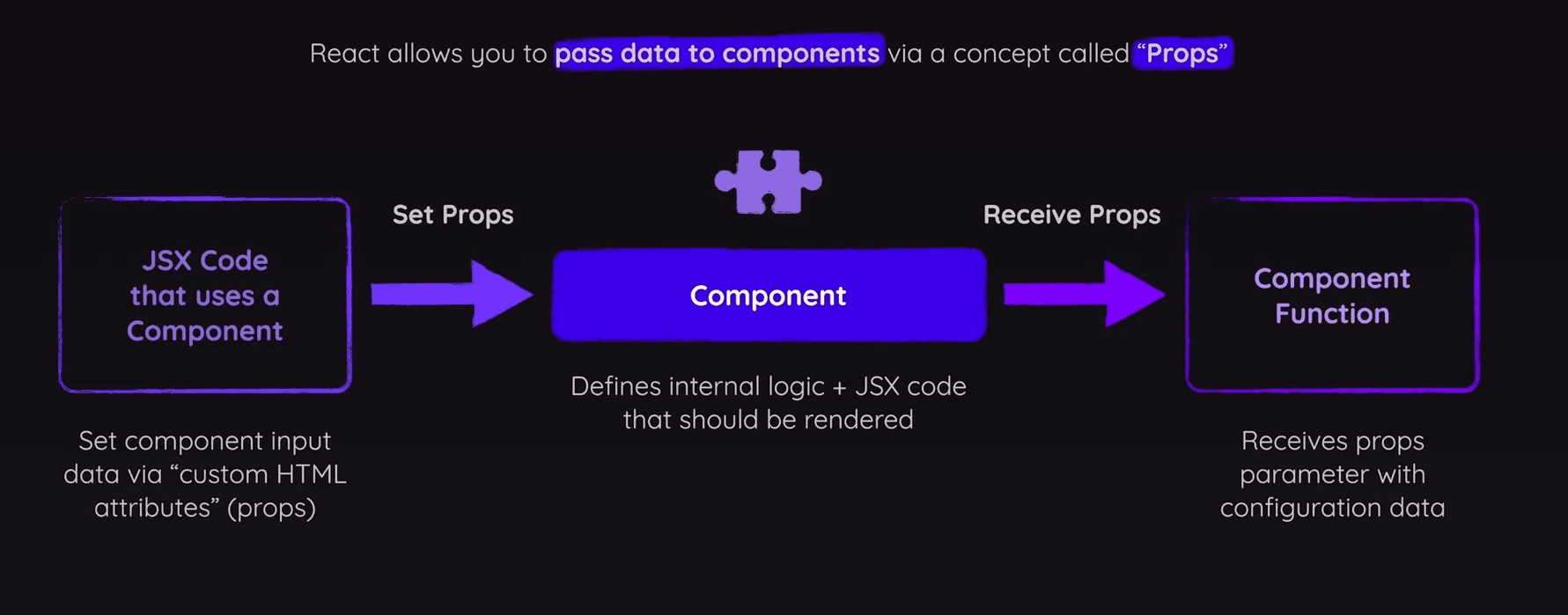
Props, short for properties, are the mechanism by which React components communicate with each other. They are read-only and allow the passing of data from parent components to child components. Props can include simple data like strings and numbers, but they can also include functions and even other components.
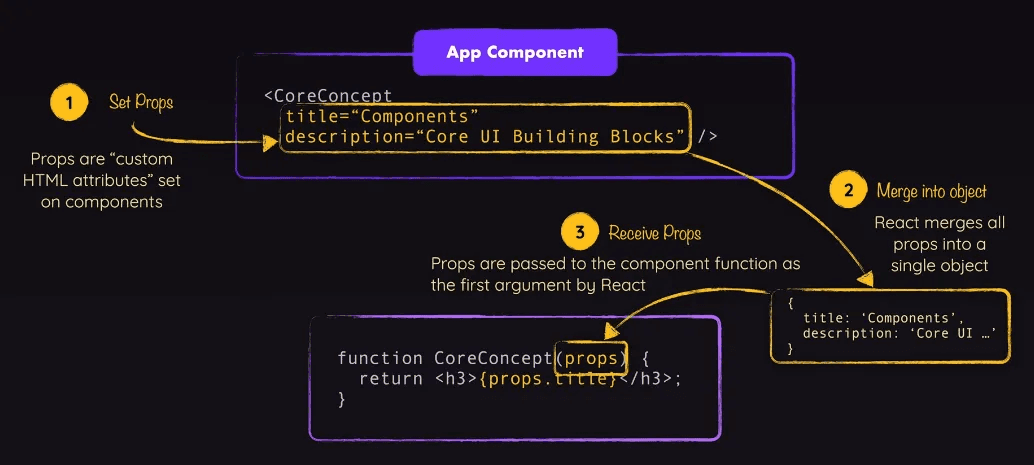
- Component Functions with props are first object argument
- Attribute and props keys must have same names
Concise Syntax
- Store data separately in
data.js
export const CORE_CONCEPTS = [
	{
		image: componentsImg,
		title: 'Components',
		description:
			'The core UI building block',
	}
];- Import data and input each data separately in
App.jsx
import { CORE_CONCEPTS } from "./data.js";

<CoreConcept
  title={CORE_CONCEPTS[0].title}
  desc={CORE_CONCEPTS[0].description}
  image={CORE_CONCEPTS[0].image}
/>- Since both files are compatible, use spread operator for shorter syntax
- Both for this to work, both key’s in props and
data.jsmust have same naming and order. App.jsx
<CoreConcept {...CORE_CONCEPTS[2]} />- You can also de-structure
data.jsas props key:value pair inside component functionApp.js CoreConcept.jsx
function CoreConcept({ image, title, description }) {
  return (
    <li>
      <img src={image} alt="atom image" />
      <h3>{title}</h3>
      <p>{description}</p>
    </li>
  );
}
Children Props
Using built-in props property children, pass content between component's opening and closing tag.
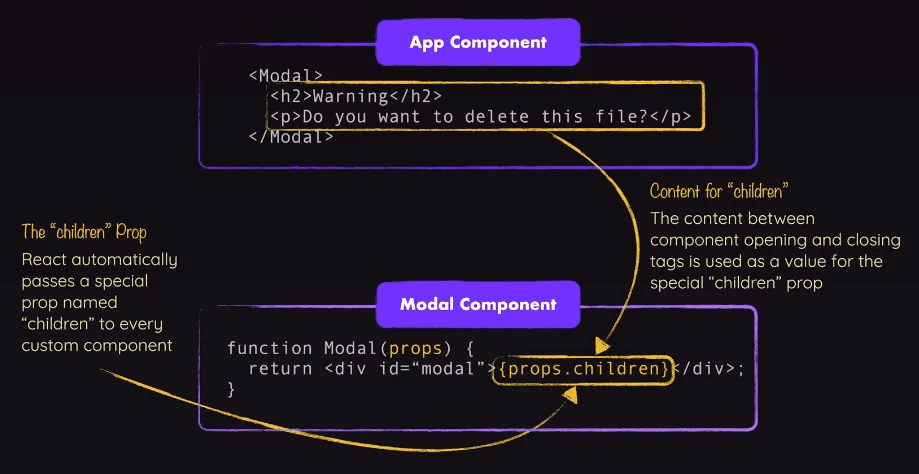
Content can be simply text or a complex JSX structure.
App.jsx
<Fundamental>
  <img src={CORE_CONCEPTS[3].image} alt="Cool image" />
  <h3>{CORE_CONCEPTS[3].title}</h3>
  <p>{CORE_CONCEPTS[3].description}</p>
</Fundamental>
CoreConcept.jsx
export function Fundamental(props) {
  return <li>{props.children}</li>;
}