Useref
If we want to take value from input, and set in to h2 tag.
- Using state, we need two state binding on input. And another state to pass state to h2 tag.
import { useState } from "react";

export default function Player() {
  const [playerName, setPlayerName] = useState("unknown entity");
  const [inputName, setInputName] = useState("");

  return (
    <section id="player">
      <h2>Welcome {playerName}</h2>
      <p>
        <input
          type="text"
          onChange={(e) => setInputName(e.target.value)}
          value={inputName}
        />
        <button onClick={() => setPlayerName(inputName)}>
	        Set Name
	    </button>
      </p>
    </section>
  );
}- Or conversely, we could use useRef to access input by reference. And then transfer state.
import { useState, useRef } from "react";

export default function Player() {
  const [playerName, setPlayerName] = useState("unknown entity");
  const inputRef = useRef();

  return (
    <section id="player">
      <h2>Welcome {playerName}</h2>
      <p>
        <input type="text" ref={inputRef} />
        <button onClick={() => setPlayerName(inputRef.current.value)}>
          Set Name
        </button>
      </p>
    </section>
  );
}- We need
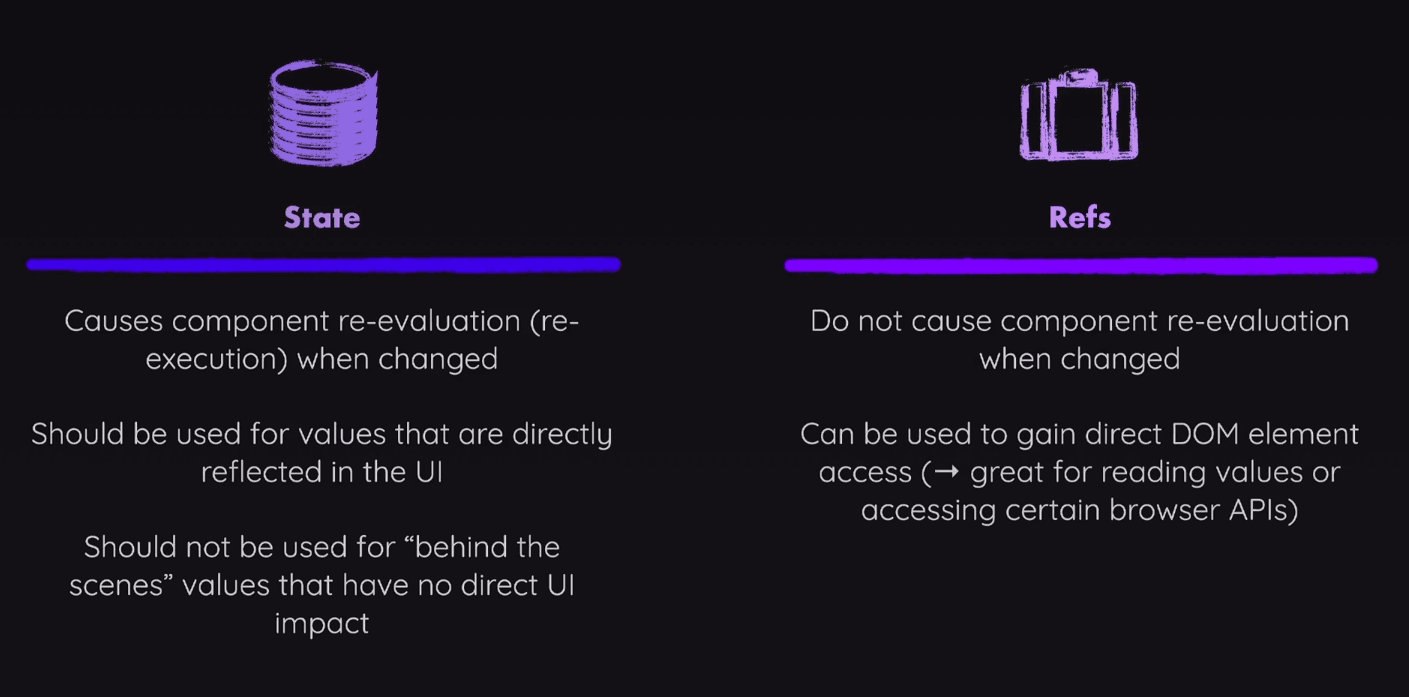
currentproperty to access HTML element using DOM manipulation - It’s doesn’t re-render react component. It’s mutable. But don’t use this in-place of states.
- We can use ref to pass setTimeout variable to clearTimeout on click
  const timer = useRef();

  const handleStart = () => {
    timer.current = setTimeout(() => {
        setTimerStarted(false);
    }, 1000 * targetTime);
  };

  const handleStop = () => {
    clearTimeout(timer.current);
    setTimerStarted(false);
  };
ForwardRef
Call forwardRef() to let your component receive a ref and forward it to a child component:
- TimerChallange.jsx
import { useRef } from "react";
import ResultModal from "./resultModal";

export default function TimerChallenge({ title, targetTime }) {
  const dialog = useRef();

  const handleStart = () => {
    setTimeout(() => {
      dialog.current.showModal();
    }, 1000 * targetTime);
  };

  return <ResultModal ref={dialog} result="lost" />;
}- resultModal.jsx
import { forwardRef } from "react";

const ResultModal = forwardRef(function ResultModal({ result }, ref) {
  return (
    <dialog ref={ref} className="result-modal">
      <h2>You {result}!</h2>
      <form method="dialog"><button>Close</button></form>
    </dialog>
  );
});

export default ResultModal;- Wrap child component function with forwardRef() and export it.
- It takes two parameters.
Props and ref
UseImperativeHandle
When forwarding a ref. It can be troublesome to work on different components while trying to understand how refs work.
That's why to manage forwarded ref inside the same component, and only call it from outside we use useImperativeHandle
resultModal.jsx
import { forwardRef, useImperativeHandle, useRef } from "react";

const ResultModal=forwardRef(function ({result,targetTime}, ref){
  const dialog = useRef();
  useImperativeHandle(ref, () => {
    return {
      open() {
        dialog.current.showModal();
      },
    }
  });
  return <dialog ref={dialog} className="result-modal"></dialog>
});

export default ResultModal;
here, we can creating a new ref dialog and setting it directly to element. And then using a useImepartiveHandle() hook to define open() function which does the thing.
And we simple call open() method from parent component, instead of defining action in a different component.
- useRef is used for DOM manipulation in react.
Portal
createPortal lets you render some children into a different part of the DOM.
- To create a portal, call
createPortal, passing some JSX, and the DOM node where it should be rendered:
import { createPortal } from "react-dom";

export default function ResultModal() {
  return createPortal(
    <dialog ref={dialog} className="result-modal">
      <form method="dialog">
        <button>Close</button>
      </form>
    </dialog>,
    document.getElementById("modal")
  );
});
This teleport this JSX code to <div id="model"> element inside html