React
React Backend
#react
-
Can't store data on front-end. Also sensitive information and stuff. Need backend
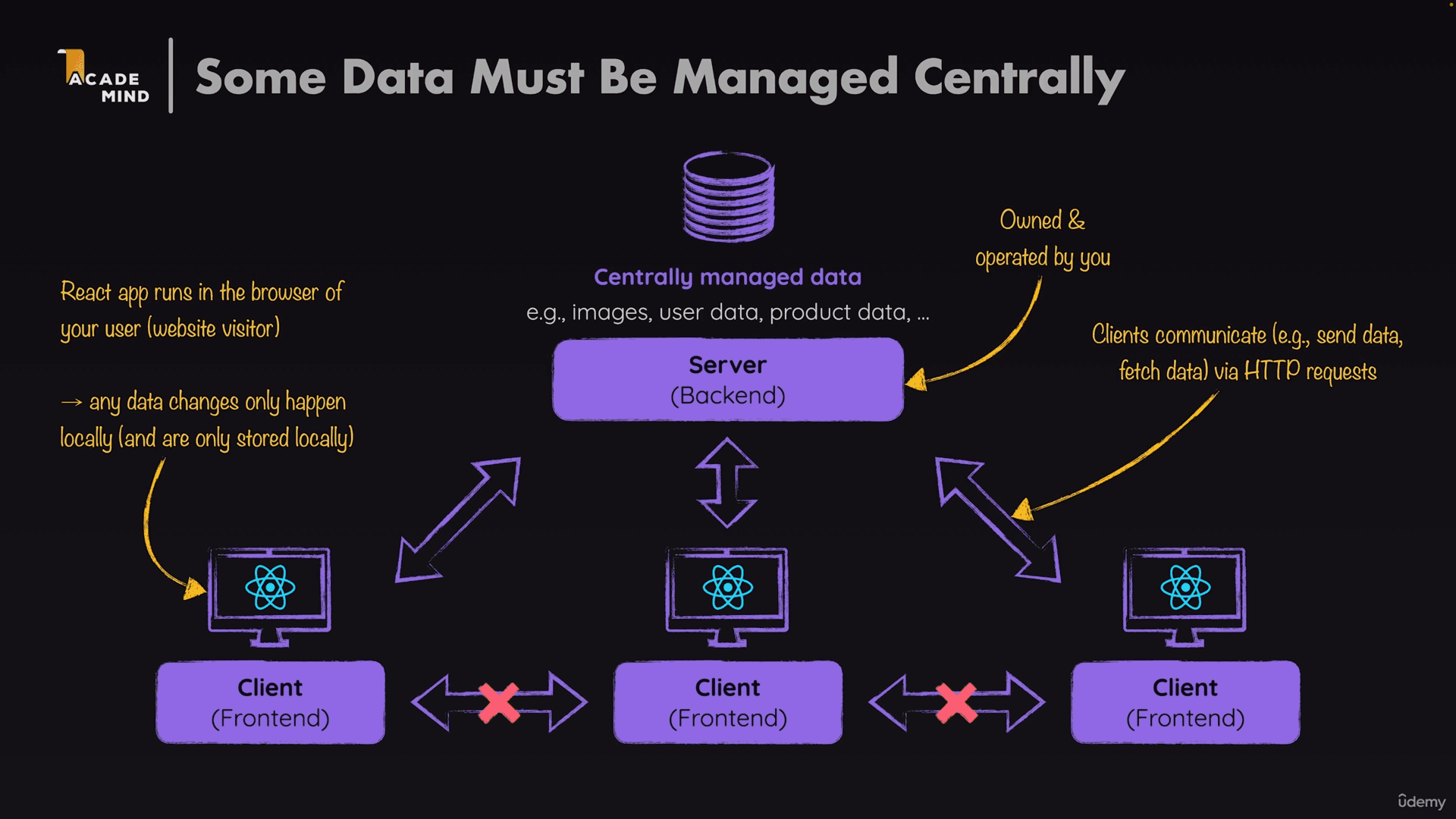
-
Connect to a database via HTTP Requests (API)
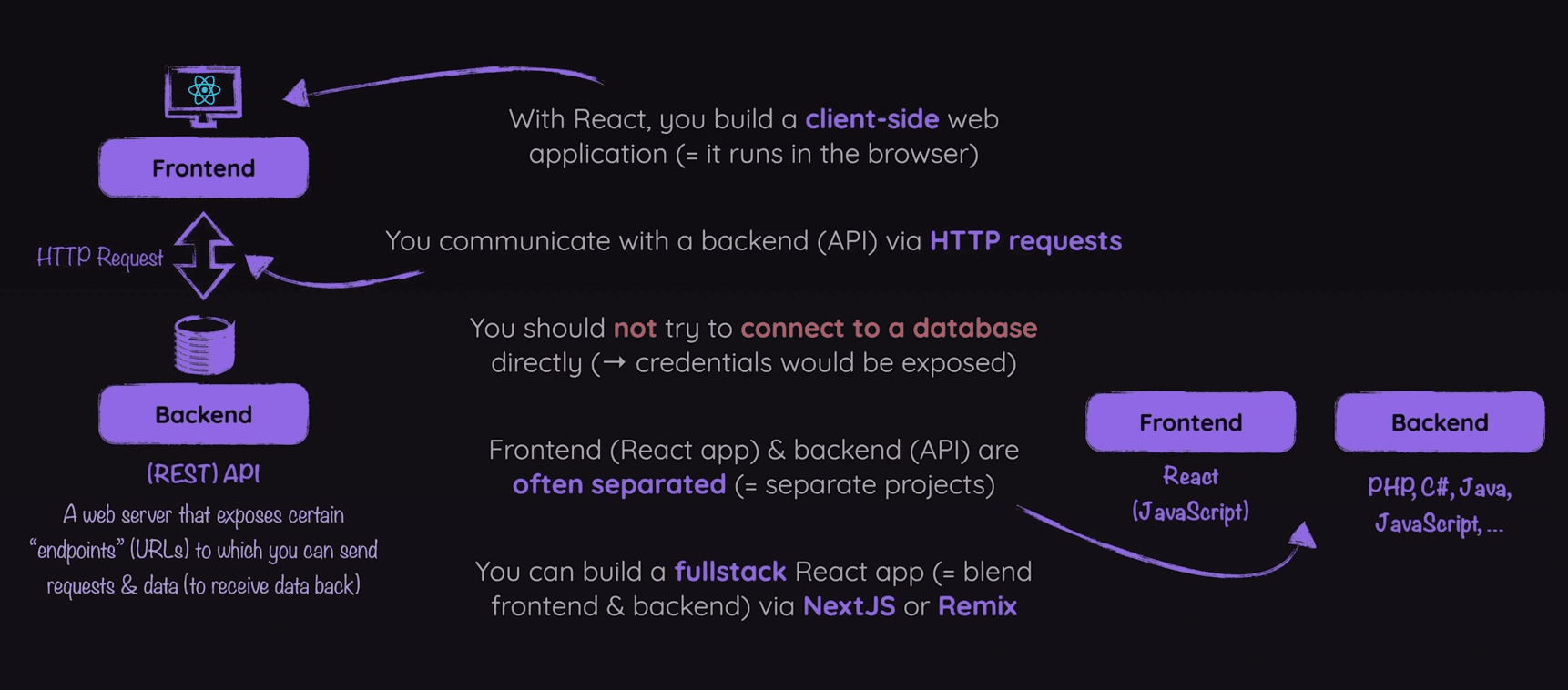
Fetch to GET
React has a built-in method fetch(' ') which is used to retrieve data from backend API.
- Takes a URL as a string and returns a promise.
- The response is typically in JSON format.
- Once the data is fetched, you can use it to update the state in your React components.
    fetch("http://localhost:3000/")
      .then((response) => response.json())
      .then((resData) =>  setAvailablePlaces(resData.places));
Async Await in React
- async/await cannot be directly used in JSX due to its syntax.
- However, you can use async/await inside regular JavaScript functions and call those functions within your React components.
Also useEffect to avoid infinite loops.
import { useEffect, useState } from "react";

export default function AvailablePlaces({ onSelectPlace }) {
  const [availablePlaces, setAvailablePlaces] = useState([]);

  const fetchPlaces = async () => {
    const response = await fetch("http://localhost:3000/places");
    const resData = await response.json();
    setAvailablePlaces(resData.places);
  };

  useEffect(() => {
    fetchPlaces();
  }, []);

  return (
	  // jsx
  );
}- Can also use extra states to update fetching progress and try-catch to handle Errors
Fetch to Update
Fetch method also supports a second parameter options. Where we can configure HTTP Request as we want.
const response = await fetch("http://localhost:3000/user-places", {
    method: "PUT",
    body: JSON.stringify({ places }),
    headers: {
	    "Content-Type": "application/json",
    },
});
Now we can perform any action with an API.
Optimistic Update
It's necessary to reflect changes and handle errors with dealing with API. We might consider updating UI as soon as user requests and then hope for a positive response. Otherwise we simple roll back to initial State and show some kind of error message. That's Optimistic I'd say.