Usestate And Hooks
When we dynamically change a variable which displays content, the change isn’t reflected on website, as component isn’t re-rendered. That’s where states come in.
We need to import a function from react library
import { useState } from "react";All react functions starting with use__ are Hooks.
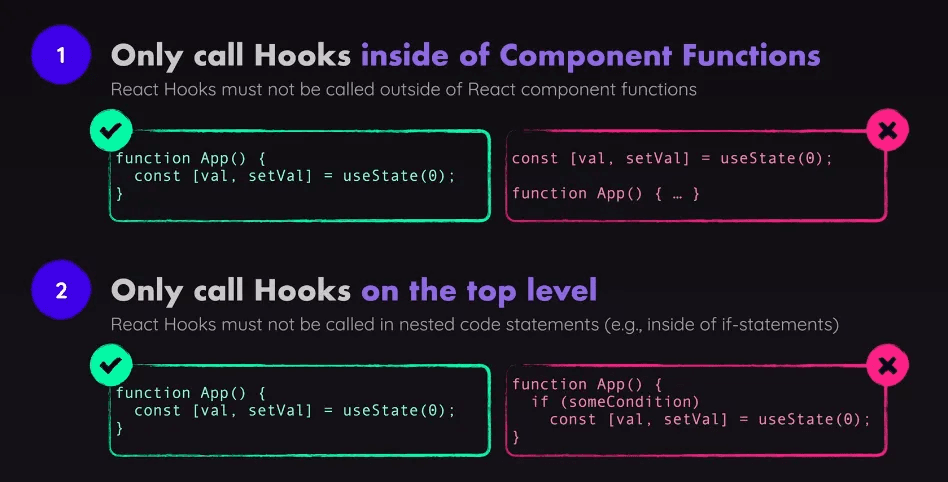
useState Hook allows us to track state in a function component. which when changed, will trigger the component function to which it belongs to re-execute.
useStateaccepts an initial state argument and returns an Array with exactly two values:- selectedTopic : The current state.
- setSelectedTopic : A function that updates the state.
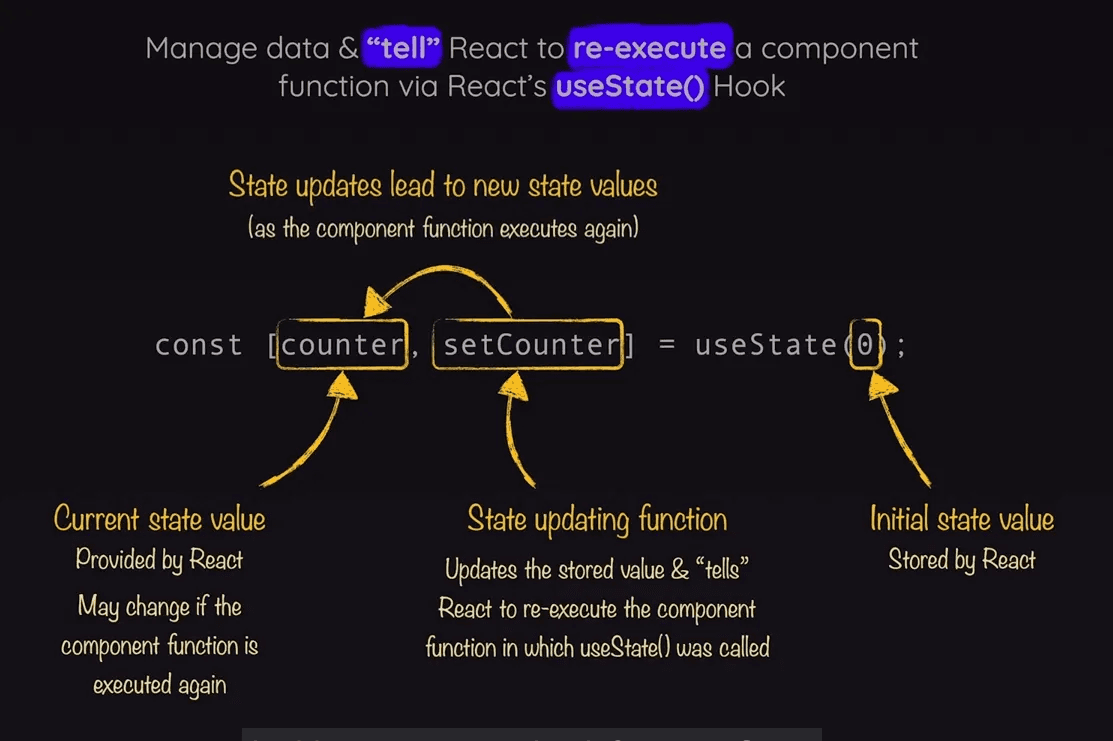
- App.js : Define useState at the beginning
- Set current state when you want inside component function
- Set state based on condition, and it will set after re-rendering
export default function App() {
  const [selectedTopic, setSelectedTopic] = useState("Please click one");

  function handleSelect(tab) {
    if (tab == 1)
      setSelectedTopic("Components");
    else
      setSelectedTopic("JSX");
    // console.log(selectedTopic); // still displays old state, as sets later
  }
  return (
    <div>
      <Header />
      <menu>
        <TabButton onSelect={() => handleSelect(1)}>Component</TabButton>
        <TabButton onSelect={() => handleSelect(2)}>JSX</TabButton>
      </menu>
      {selectedTopic}
    </div>
  );
}- We can use const as react assigns new value after re-rendering
- Use also similarly import data and access using useState
Do not modify React State (tic-tac-toe example)
Immutability in React State
- React State Updates:
React relies on state immutability for its efficient rendering and updating mechanism. When you update the state, React compares the new state with the previous one to determine if a re-render is necessary.
If you mutate the state directly (by modifying grid), React may not detect the changes because the reference to the object remains the same. This can lead to bugs where the UI does not update correctly.
- Pass-by-Reference:
JavaScript objects and arrays are passed by reference, not by value. This means when you assign an array or object to another variable or pass it to a function, both variables refer to the same underlying data.
Modifying the grid directly would affect the original array and could result in unintended side effects and difficulties in tracking state changes.